
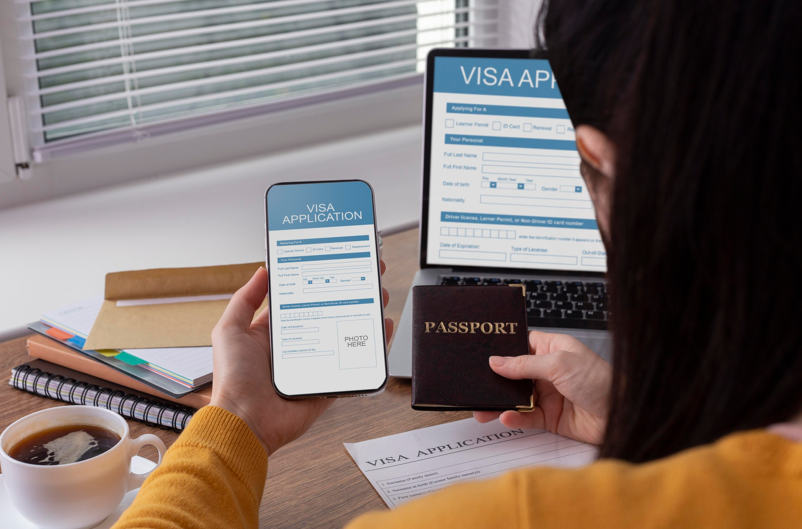

An error-free Cambodia applications requires applying from an official portal. You must check every filled information twice before submitting the form.
Key Takeaways
- Always apply through the official portal and ensure your passport has at least six months of validity and two blank pages.
- Type your full legal name and passport number exactly as they appear in your passport’s Machine-Readable Zone (MRZ) without relying on auto-fill features.
- Verify that your intended border post (airport or land border) accepts e-Visas, as they are not valid at sea ports or unsupported land crossings.
- Apply 10–14 days before your trip to allow buffer time for delays, and print two color copies of your approved e-Visa certificate for entry and exit checks.
Experiencing the ancient stone towers of Angkor Wat, walking through the bustling streets of Phnom Penh, or relaxing on Koh Rong’s tropical beaches is a dream for millions of travelers. The introduction of the e-Visa system has made entering Cambodia a bit easier. All you need to ensure is that there is no data mismatch or blurry photo upload. Your application might be delayed or denied.
In this article, we will evaluate how travelers can make an error-free Cambodia e-Visa application.
What to Keep in Mind Before Starting your e-Visa Application Process?
Are you planning a Cambodia trip? If so, applying for an e-Visa is a good option as it is convenient. Here is a checklist that you need to prioritize before you start your Cambodia e-Visa application.
Passport Validity
Before you start your application, ensure that your passport has a validity of at least six months. This is calculated from the day you enter Cambodia. Renew your passport if it falls short of the stated validity.
Blank Pages
Along with the validity, you need to check whether your passport has at least two blank pages at the end. These are needed for entry or exit stamps. Remember, your entry might be denied during immigration checks if your passport is fully complete.
Digital Passport Scan
While applying for Cambodia e-Visa, you need to upload a scanned copy of your passport’s bio page. Ensure that it is a high-resolution one. The scanned must not be a blurry one and all the corners are properly visible.
Payment Method
You can use a valid international credit or debit card (Visa, Mastercard, etc.) to make the payment.
How to Apply for Cambodia e-Visa?
Applying for Cambodia visa for UK citizens requires following the right application procedure. Here are the steps that you need to consider.
Step 1: Consider an Official Website for Application
The internet is flooded with unauthorized third-party agencies for Cambodia e-Visa application. They charge excessive fees or submit inaccurate information on your behalf. Always apply from the portal acknowledged by the Cambodian government.
Step 2: Enter your Personal Details Accurately
Accuracy is crucial when you enter your personal details during the e-Visa application. Here is what you need to keep in mind.
Full Legal Name
While filling the form, you have to put your first name, middle name, and last name. Type your name exactly it appears in your passport’s Machine-Readable Zone (MRZ). Remember, misplacing a single alphabet might lead to rejecting your application.
Date of Birth & Nationality
The auto-fill settings in your browser should not alter your day, month, or birth country. All you need to do is to verify dates manually. Check twice so that you do not make any mistake.
Passport Number
Many applicants make typos while filling the passport number. A common one is mistaking the number “0” for the alphabet “O”. Be careful while filling this space. Remember, there will be no spaces between the characters.
Step 3: Upload Clear Documents
The Cambodia e-Visa portal considers digital verification systems to review uploads. The documents you need to upload are:
Passport Scan
You need to upload a flat image of your passport’s bio page. The scan should be clearly visible.
Ensure that all the corners of the page are properly visible. Remember, the upload must be devoid of any flash glare obscuring the MRZ text.
Passport-Size Photo
You need to upload a recent passport-size photo during the Cambodia e-Visa application. The considered photo specifications are:
- The format of the photo must be PNG or JPEG.
- The size of the photo must be within 10 KB and 2 MB.
- Consider a plain white or light-colored background for the photo.
- Maintain a neutral expression with your eyes open and facing the camera directly.
- Ensure that the uploaded photo is not older than six months.
Pro Tip: Avoid uploading poor-quality selfies.
Step 4: Choose the Correct Entry Port
Cambodia e-Visas are accepted only at specific entry checkpoints. These include:
| Entry port | Key considerations |
| Airports | Phnom Penh International Airport (PNH), Siem Reap-Angkor International Airport (SAI), and Sihanouk International Airport (KOS) |
| Land borders | Bavet (Svay Rieng), Cham Yeam (Koh Kong), Poi Pet (Banteay Meanchey), and Tropaeng Kreal (Stung Treng) |
Table: Entry ports for Cambodia e-Visas
What if someone decides to enter Cambodia via a sea port or an unsupported land border? Well, e-Visa is not accepted in such cases. In that case, you need to consider a traditional visa or a Visa on Arrival (VoA).
Step 5: Make the Payment, Review and Submit
When you finish filling the application form and uploading the documents, you need to proceed for payment. Review the summary page carefully before you pay the application fee.
As the application is submitted, you will get a confirmation in your email address. The approval certificate and reference number will also be mailed.
What are the Common Errors that can Reject Your Application?
While applying for Cambodia visa for UK citizens, applicants must avoid the following errors.
Typographical Errors
A single misplaced letter or digit can make your Cambodia e-Visa flag as invalid upon arrival by immigration systems. Hence, you are not allowed to make any typing error. Check everything twice before confirming.
Low-Quality Photo Scans
Uploading dark or cropped images can reject your application automatically. In some cases, you might be requested for resubmission. To avoid this, you must upload high-quality scans.
Late Application
The processing time for Cambodia e-Visa is usually 1 to 3 business days. Well, it’s better to apply for it 10 to 14 days ahead. This is because unexpected manual checks can result in delaying your e-Visa.
See also: How Technology Is Advancing Smart Factory Solutions
What to do After Submission?
Here is what you need to do after submitting your e-Visa application.
Track Your Application
Keep your primary email address open in your smartphone or laptop. Use your Application Reference Number to check your e-Visa status.
Print Two Copies
Download the PDF version of your approved e-Visa mailed to you. Print two color copies of it. You need to hand a copy to the immigration officers upon arrival and another to be submitted while you exit the country.
Wrapping Up
An error-free Cambodia e-Visa application comes with filling personal details correctly and uploading clear documents. Keep your application status tracked after submission and get your e-Visa mailed within a short span.
Ready to Apply for Cambodia e-Visa?
Choose an official Cambodia e-Visa application site. Enter the website and apply for the electronic travel permit. Get it and start making your travel plan.
